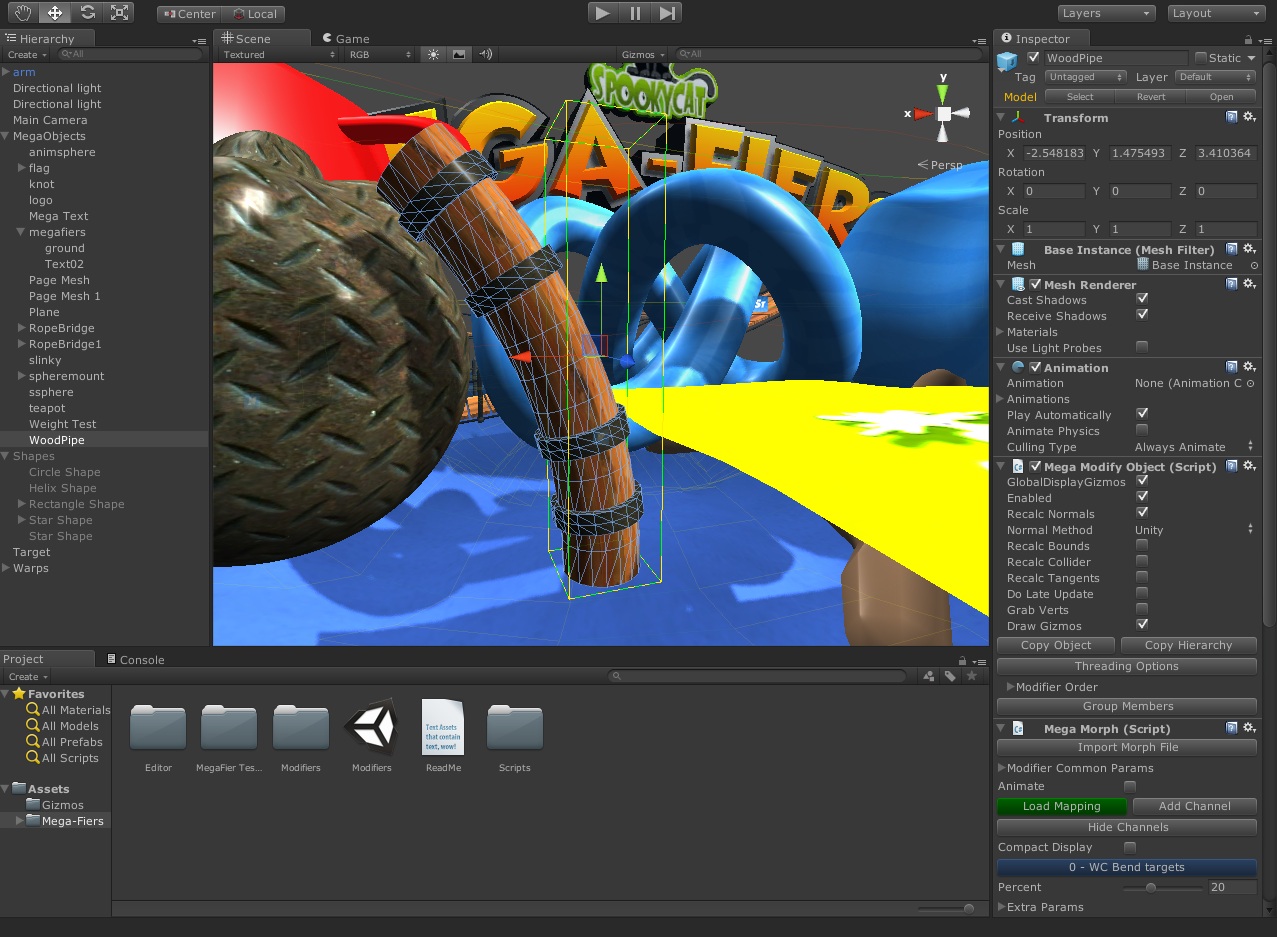
Another small update to MegaShapes is in the store now. Version 1.25 brings a new meshing option, Ribbon to add to the Fill, Tube and box modes, this will produce a flat ribbon along the spline with options to rotate and have multiple twisted ribbons like the other modes, useful for roads. A UV Offset options has also been added to the meshing options and pivot offset works for all modes now so you can easily position the mesh relative to the spline.
v1.25
Added Ribbon option to mesh types when converting Spline to a mesh.
Fixed MeshRenderer being added to object when it wasn’t required.
Added Late Update option to shapes.
Pivot offset value now works for tube, box and ribbon meshing options.
Added UV offset param to tube, box and ribbon meshing options.
Version 1.24 of MegaShapes is in the Asset Store now or for direct purchase from the Store Since the last update posted here the we have greatly improved the SVG importer making it compatible with all the SVG files we have around, so you can now easily edit your splines in say Illustrator or Gimp and bring them into MegaShapes with a couple of clicks. We have also added distance modes to the walk loft and shape follow systems to make it easier to use for some users, the help pages have also been done for those systems so just right click on the inspector bar for the component in Unity and select Help to see the breakdown of the params etc. We have also added a simple example script to show how an object can be moved along a Shape Follow using keys and the new distance mode. There is also the new Outline and scaling system included in this update.
Changes since v1.21
Walk Loft now has an alpha mode and a distance mode for positioning object.
Shape Follow now has an alpha mode and a distance mode for positioning object.
Added Late Update option to Walk Loft
Added Late Update option to Shape Follow
Added Help page for Shape Follow
Added Help page for Walk Loft
When loading SPL or SVG files you now have the option to Replace existing splines or add to the splines making the shape.
Add example script MegaMovePlayer.cs to show how to control character moving on a spline.
Added Elipse support to SVG importer.
Fixed splines not showing up when selected in Unity 4.0
Added a Reverse spline option to the Shapes inspector, will reverse the currently selected spline
Added an Apply Scaling button to the inspector so if you scale the shape using the transform click this to correctly scale the splines
Added an Outline spline system, you can now ask the system to make a new spline that outlines the current one with control over the outline distance.
SVG importer rewritten and greatly improved.
CursorPos on shapes now works correctly for the selected curve.

I have just submitted a new version to the Asset Store, seems I have not posted about the other releases since 2.10. The system now has a SVG importer for bringing in Splines from packages such as Illustrator for use by MegaShapes. The MorphOMatic morpher has had its channel limits fixed and the Path Deform modifiers have an extra Up param so if you get twisting of meshes on your paths you can alter the up value used in the transport frame to help fix that.
The spline system included with MegaShapes is seeing some new features, as well as the SVG importer you can now apply scaling to the spline in a correct way, so if you scale the spline object using Unitys scale transform you can click the Scale button on the Spline inspector to appy that scaling correctly to the spline and reset the local scale of the object. We have also added an Outline option to you can create a new spline to be the outline of an existing spline and change the distance of the outline easily, I will add a video of these new features soon. Splines can now also be reversed by clicking the reverse button.
Changes for Version 2.15
Limits work correctly for MorphOMatic morphs now.
Changing limits on MorphOMatic morph no longs alters target percents and messes up morphing.
Added option to limit number of MorphOMatic channels displayed in inspector.
Added Elipse support to SVG importer.
Fixed splines not showing up when selected in Unity 4.0
Added a Reverse spline option to the Shapes inspector, will reverse the currently selected spline
Added an Apply Scaling button to the inspector so if you scale the shape using the transform click this to correctly scale the splines
Added an Outline spline system, you can now ask the system to make a new spline that outlines the current one with control over the outline distance.
Added an Up option to the path deform modifier.
Added an Up option to the world path deform modifier.
SVG importer rewritten and greatly improved.
CursorPos on shapes now works correctly for the selected curve.
Added Help option to FFD Animate component and added page to docs site.
We have figured out a work around for the exporters for 3DS Max 2013 and have beta exporters available so if you need one just email us saying if you need the 32 or 64 bit version and don’t forget your invoice number 🙂
Thanks to Unity adding us to the Beta testing of Unity 4.0 I can now say that MegaFiers and MegaShapes are fully compatible with Unity 4.0 and work just fine, and we are looking at the new features in Unity 4.0 to see if we can bring even better performance to the system.
New version of MegaFiers and MegaShapes are in the AssetStore now, this improves the SVG importer greatly and fixes a few bugs, MegaFier users will now also benefit from the new meshing options for turning your splines into meshes via the tube and box extrude options. New features coming soon to the spline system will be hole support and for MegaShapes we are working on new loft layer options and new systems to allow easier creation of complex mesh levels along splines, videos coming soon. The changes to MegaFiers can be found on it’s Version History page and the same for MegaShapes it’s Version History page.
The meshing options in MegaShapes have been extended to include two new methods of tube and box. This allows you to turn splines into tubes or lines as well as extruded boxes very easily. Ends can be capped if the full length of the spline is not used and the extrudes can have multiple strands to build rope type meshes. These new meshing options can also be found in the version of MegaShapes that is included in the MegaFiers system.
Video

This tutorial shows the new SVG import feature so you can build your paths in packages such as Illustrator and import them into the system. The system also includes support for importing animated splines directly from 3DS Max through a custom exporter. The other feature shown in the video is the Shape Follow system, which allows you to easily move objects along a spline or along multiple splines using weights to define the end path. This makes it easy to have for example lots of camera paths in your game and smoothly move the camera from one to another.
Video

Version 2.11 of MegaFiers is in the Asset store, this adds an option to limit the number of channels displayed in the morph inspector to avoid any slow down due to a complex inspector, and also added is the start of SVG import for easily bringing in your shapes and splines from packages such as Photoshop and Illustrator into MegaFiers.
v2.11
Added ability to limit number of channels displayed at one time in the inspector so as not to slow down when morphs have lots of channels.
Added start of SVG import support for shapes.

Version 1.21 of MegaShapes has just been submitted to the Asset Store. This sees some bug fixes, as well as the inclusion of some more assets for the MegaMoo tutorial scenes such as jump models, trees, and some more textures for you to play with.
Some of the core systems have also been optimized so everything runs a little faster with more to come in that area. Also added a rotate value to the walk loft system so add more control over your objects, as well as an offset value to the Shape Follow system so if multiple splines are used you can control the start point of each one, there will be a video very soon showing that system and the other new additions to the system.
Finally I have started the SVG importer so you can now build your splines in Photoshop or Illustrator etc and export them to SVG for use by the system. The importer supports most of the features of the SVG file format and what it doesn’t will be added soon.
v1.21
Fixed the flip not working on the Complex Loft layer.
Added error checking code to Complex Loft so check for valid state before trying to draw. NB Complex loft needs at least 2 cross sections before mesh builds.
Added start of SVG import support.
Optimized some of the core maths for faster updating of loft meshes, more to come.
Added a rotate value to the walk loft script.
Fixed bug in Duplicate Layer code, now works for all layer types.
Added an offset and modifier param to each target in Shape Follow.
Jump and tree assets added for turoial scenes
Fixed an exception error if Complex Layer missing a path.
Complex Loft layer now handles non closed splines properly for our of range values ie alpha < 0 or > 1
Just playing around with MegaShapes tutorial scene and some of Tony’s art work.
This tutorial shows how you can get animated morphed characters from Daz3D into Unity using MegaFiers. You just need to have a copy of Max, Maya or Blender and a copy of the MegaFiers exporter. The process is simple, you export the object from Daz to a Collada file and then import that into Max, Maya or Blender, and from there you use the MegaFiers exporter to get the morph data and animations into Unity. This process will also work for other 3d editors such as Cinema 4D, Lightwave etc that do not currently have a custom MegaFiers exporter.
Daz3D Morph Link

In the forth tutorial for MegaShapes we will use the Duplicate Layer and Copy options to make a second fence quickly, also the Walk Loft system will be shown which is a way you can easily position and move your objects or characters over a MegaShapes surface.
Video

I have just submitted v2.10 to the asset store, this sees some optimizations to the path deform modifiers as well as adding Tube and Box options to the spline meshing, this allows you to turn your splines in to mesh lines with options to cap the ends, change the radius of the rube or the dimensions of the box as well as allowing for multi-stranded meshes to be created with twisting options to form rope type meshes like in the picture in the previous blog post.
v2.10
Optimized the path deform modifiers.
Added Box type to meshing options for splines.
Added Tube type to meshing options for splines.

Another day another update to MegaShapes, this sees some bug fixes. Firstly you can now freely move your loft objects around and if the layers using the object have ‘realtime’ on then the layers will move, sclae, rotate correctly as you change the base object. This might have the effect on exiting lofts of rotating clone layers by 180 so they appear upside down, if so just change the x valeu in the tmrotate to 180, I would suggest doing a backup of your project before updating.
Copying Loft Objects will now work correctly instead of layers sticking to the original surface they will now stick to the new one.
I will be adding more systems over the coming week such as a system similar to the Path Deform modifier found in MegaFiers this will make it easy to build a long mesh out of mesh components then feed that along a spline and maybe onto a surface. You can pretty much do this with the Clone Layers but just to have the option will be nice. Also the first part of the rope system has been added, you can build multistranded ropes along splines by selecting the mesh option and then a mesh type of ‘tube’, I will be doing a video to show this and other new features very soon. The physics update of the rope will also be added soon.
Also with the addition of the dynamic rope and other systems the price will revert from the introductory price of $100 back to its normal price of $150 so if you plan on getting the system get it before the price change, probably the end of the month.
v1.18
Made some changes to how the twist works on tube and box meshes.
Fixed bug on Duplicate Layer which caused an exception.
Update help page for Loft Object component.
Changed how the system deals with transforms, now allows objects to be moved, scaled and rotated and layers will follow correctly (if realtime set), you may need to adjust rotations on clone layers and offsets depending on base object rotations etc. Please backup before updating.
When copying a Loft Object layers will now use the newly created Loft Surface instead of the original one if the Loft Object is the one being copied.
MegaShapes v1.16 is in the Asset store now, this quick update adds a box mode to the spline to mesh options so now providing a choice to either fill the shape or build a tube along it or a box section. The Walk Loft helper has had a vertical offset value to make it easier to control objects whose pivot is not at the correct place on an object. And I have added a MegaShapeFollow component which allows you to easily move objects along shapes, you can select any number of shapes for an object to follow and have weights for each shape to you can smoothly transition from one shape to another or mix together a dozen shapes to form a final path.
v1.17
Added Box type to meshing options for splines.
Added a Vertical offset value to the Walk Loft helper script.
Add Mega Shape Follow to allow gameobjects to follow a shape or multiple shapes.
Walk Loft works correctly with transformed loft objects.
Added limits for the ‘Dist’ and ‘CDist’ params to the Loft Object inspector.
Version 1.15 of MegaShapes has been submitted to the Asset Store. This updates sees some improvements to the workflow so you can now duplicate layers in a loft so for example if you are putting a fence on a surface you can now just hit the ‘duplicate’ button to copy the layer and then slide it across. A delete button has also been added.
The spline to mesh system has been enchanced now with the option to either fill the shape to make a mesh or to turn the shape into a tube/line, you can define the radius of the mesh, the number of sides and the start and length as well as cap the ends. The option also allows you do define multi strands with twisting useful for ropes. More meshing options are coming soon such as box and line options which can be used for say tank tracks.
A ‘tangent’ option has been added the to Loft Object which allows you to tell the system how far to look ahead when it calculates the forward vectors for the loft allowing you to add more variation to your lofts or to increase the accuracy to make tight corners nicer. And finally the Walk Loft helper which allows you to easily move your game objects over the surface of a loft has had a smoothing value added. I will hopefully be doing a video today to show of the new features in this update.
v1.15
Added ‘Duplicate’ button to layer inspector to easily make a copy of a layer on a loft object.
Added ‘Delete’ button to layer inspector to easily remove a layer.
Added a smooth value to Walk Loft helper script.
Added ‘tangent’ value to Loft Object to control the accuracy of the forward calculations in the lofter.
Added new meshing option to splines, ‘Tube’ allows multi-stranded tubes to be made.
I have just submitted version 2.09 of MegaFiers to the Asset Store, this updates fixes some issues in the animation systems as well as adding very early WIP versions of the Collision Deform and Tree Bend modifiers I have been playing with, feel free to play with the code of these, while they are in Alpha there will be no docs or support for them as they are subject to change etc and have known limitations and issues but users have asked for the code so here it is.
v2.09
Added help page to the MegaAttach system.
Increased MegaMorph Animchannels from 20 to 50
Fixed issue that would cause MorphAnimator to play on start even when option not checked.
Fixed issue that would cause Point Cache Animator to play on start even when option not checked.
Point Cache time value works correctly without having animated box checked
Alpha version of Mega Collision Deform modifier added (very early WIP)
Alpha version of Mega tree Bend modifier added (very early WIP)
Added more angle options to the Morph Link system.
Version 2.06 of MegaFiers and version 1.13 of MegaShapes have been submitted to the Asset Store. This sees some additions to the spline system to allow for easier creation of splines from scripts and an Auto Smooth feature for splines so you can easily now just provide an array of positions and tell the system to create a spline from it. More information can be found on the MegaShapes API page Also all the helper shapes have their own help pages on the site now.
Also the Warps in MegaFiers all now have custom inspectors and all the help pages are now done explaining all the params for each warp.
Changes in MegaFiers v2.06
Added custom inspector for Bend Warp
Added custom inspector for Noise Warp
Added custom inspector for Ripple Warp
Added custom inspector for Skew Warp
Added custom inspector for Stretch Warp
Added custom inspector for Taper Warp
Added custom inspector for Twist Warp
Added custom inspector for Wave Warp
Adding warps from the MegaFiers window now works
Added missing docs for Warps to website
All Warp Help now go to their help pages
Ripple Warp gizmo not matching warp fixed.
Added autosmooth option to shapes.
Added BuildSpline method.
Added various methods to aid in spline building via script.
Changes for MegaShapes 1.13
Added autosmooth option to shapes.
Added BuildSpline method.
Added various methods to aid in spline building via script.
Added option for different handle types on Shapes as some people reported big slowdowns in 3.5.3
Adjusted sensitivity of some Editor GUI values
The Attach system in MegaFiers has been updated to work with skinned meshes. This now allows for an easy system for attaching items to your deforming characters, so as you alter your characters by making them fatter, thinner etc any weapon, clothing, backpack attachment points will automatically adjust so that your items sit perfectly on the new character. Another use is for keeping objects such as eyes and teeth correctly positioned on a face animation system. his makes building avatar systems a lot easier and leads to much more pleasing end results.
Also version 2.05 has been submitted to the Asset Store the changes are:
v2.05
Mega Attach now works with skinned meshes
Added a gizmo to Dynamic Ripple to show the physics grid
Changed Path to System.IO.Path to stop a clash with TDK that has an internal class called ‘Path’ The author is fixing his code.
Skin Attach

This video shows you how you can link a morph channel to a gameobject or bone so that you can automatically animate muscle bulges or facial distortions or anything at all.
Morph Link

I have finally found a little time to update the dynamic ripple modifier to make it easier to use and fix some of the errors the old version was giving out, the new version will be in the asset store later today, and there will be a proper doc page describing the settings and use going up soon as well.
This tutorial guides you through using the Dynamic Ripple modifier to create a swimming pool scene and rain drops. It then adds a floating object to the scene using the Buoyancy script in the system. The help page as also been added for the system at The Dynamic Ripple Page as well as the Curve Sculpt Layered help page.
Dynamic Ripple Modifier

We would really like to put together a little showcase of projects that have used MegaFiers or MegaShapes so if you have created something using our system we would love to see a grab or a video. If you do have something you can show then please do send us a link or a screenshot and we will create a little gallery of projects. To get the ball rolling this project used MegaFiers for its mesh deformations and animations and its drag-able picture gallery.
Monoflow

A new version of MegaFiers v2.03 has been submitted to the asset store, this sees a few bug fixes and improvements over version 1.98
v2.03
Fixed error when trying to do link animation on morph and point cache animators when no animation is present on the object.
Bug fixed of objects not being created if a scene view isn’t selected.
Fixed bug that stopped Util classes being added from MegaFier window to objects with no meshfilter.
Added in the missing MegaCurveSculptLayered modifier
Relocated MegaWaveMesh script so it is part of the main system, you may need to select the script again if you are using the object in your scene.
You can now add channels to a morph by loading other mor files to the same object.
ModBut renamed to MegaModBut to avoid ay potential naming conflicts with other packages
In the third tutorial video we will use the Clone layer to add a fence on top of the grass surface we built in the previous videos. The video covers selecting the surface to build on, using mesh objects for start, end and repeating parts of a fence. It also covers the various params you have to control the positioning of the fence and adjusting its look.
MegaShapes Tutorial 3: Clone Layer

The second video takes you through the more advanced params for the layer, such as the end capping, the start and length values for using sub sections of the path and cross section splines, and then on to the Offset and scaling curves to tweak and alter the look of the loft easily and finally ending on the cross section transform controls.
At the end of the video you should be able to see how the Simple Loft layer works and then be ready to use that layer as a surface to build on. The next tutorial will show how to add a Clone Layer to build a fence along this surface.
MegaShapes Tutorial 2: Simple Loft Advanced

The first MegaShapes Tutorial video will guide you through the creation of a simple loft layer. Starting with creating simple shapes and editing them to the creation of the loft object and setting of the params to build the loft. It then goes on to show how 3DS Max shapes can be used and then showing some of the more advanced features of the Simple Loft Layer.
MegaShapes Tutorial 1: Create Simple Loft

Little video showing MegaShapes the spline based mesh building and lofting system for Unity 3D running on a Samsung Galaxy Tablet with some layers updating in real time.
MegaShapes Demo

Just in case you missed the tweets etc, MegaShapes is in our Store now at an early adopter reduced price. The price will go to its normal value when more of the planned features are added in.

There have already been some updates to the system and I am busy adding in the old scatter system as a layer to the system. An old video of that system can be seen below, click the image to play the video.
Scatter System


The all new MegaShapes system will be submitted to the Asset Store today, the MegaShapes section of the website is undergoing a bit of a reshuffle and a rewrite with the help pages for the new systems being added. As this is the first release the price of the system on the Asset Store is reduced to $100, as with MegaFiers many more systems, loft layers and features are planned for MegaShapes such as the addition of the rope and chain system, the full scatter to spline shapes, a hose system for joining objects, will be added to MegaShapes over the coming weeks. Some point during that time the price will go to the normal price of $150 so get in early. If you have any features you would like to see added or suggestions then please do email us or post a comment below. MegaShapes was born out of systems we are using for our game project so there must be many features we haven’t even thought about.
If you would like to see some videos of some of the features of the new MegaShapes system then a playlist can be found on our Youtube MegaShapes Playlist
A new version of MegaFiers has been submitted to the asset store, this sees a few little changes as well as getting the MegaShapes system included in MegaFiers using the new improved MegaShapes Pro code for some of its systems. I have now also made it easier to make copies of objects with modifiers on that can be used independently with two new buttons on the Modify Object inspector panel. The list of changes for v1.98 are below. MegaShapes is very close for a beta release to the Asset Store so keep checking back for when that goes up.
v1.98
Made sliders in Morph Animate script match the min max limits of the channel they control
Added Copy Object and Copy Objects button to Inspector to allow creation of new objects that will modify interdependently
FFD Gizmos now respect the Modify Object Draw Gizmo value
Copying FFD components now works correctly.
Version 1.97 in the Asset Store now. This release sees the inclusion of the new Curve Sculpt modifier which gives an amazing amount of control over a deformation, it makes use of layers so allowing many different curves to be applied in different ways, and allows each layer to be used on the whole mesh or confined to a user defined region. The shape system has seen a little work as a result of the work being done on MegaShapes, both systems will share a common shapes core so as more work is done on MegaShapes the MegaFiers shape system will see some of the benefits for free.
I have also added a WIP script to allow FFD lattice points to be animated via the Unity Animation system. To use add the FFD Animate script to an object with a FFD modifier on it, and when you are wanting to setup an animation make sure the ‘Record’ box is checked, and then un check it when you are finished recording. The one issue with the system is Unity seems very very slow recording for objects with a lot of exposed params, playback is no problem though.
v1.97
Add support for FFD lattices to be animated via the Unity Animation system
Curve Sculpt modifier now has layers of curves
Curve Sculpt modifier can now be limited to regions of a mesh
Can add and delete curves to a shape
Shape editor allows you to select the curve to edit
Improvements to Shape editing and inspector
In my own, very quiet, version of the Unity NinjaCamp (just me) I added a new modifier to the MegaFiers suite, this one is a Curve Sculpt modifier which gives a lot of control to the artist. This video is a first look at the WIP modifier that will be in the next update of MegaFiers, this allows you to sculpt the entire mesh or regions of it with curves, this allows for complete control over the deformation and an easy way to deform just parts of a mesh. This would be the ideal base for say an Avatar customizing system or vehicle upgrades such as flared arches or bonnet bulges. The system works of a layer based approach and each layer can be disabled and also its contribution to the end result can be weighted so allowing even finer control over customizing a mesh in a game.
Curve Sculpt Video

Added a couple more videos to the tutorial series this time the Twist and Hump modifiers.
Twist Tutorial

Hump Tutorial

I have just submitted version 1.92 to the Asset Store, this doesnt bring much new but does see a complete reworking of the Undo system, this makes life a lot nicer when tweaking the modifiers, shapes, ffd lattices etc. I have also started a new modifier. This is a Collision Deform modifier which can be used to squeeze objects through others, or flatten objects against walls, or leave marks behind on surfaces. The system will eventually allow you to specify bulging and falloff amounts, and whether the deformation slowly or quickly returns.
Collision Deformer

This is the fith video on MegaShapes and shows the lofters Rule based complex clone Layer. This layer allows you to combine any number of objects together using simple rules such as start and end, filler, placed and regular rules. So with this layer you could easily build a wall with trees and gates mixed in and the odd house etc,
Rule Based Complex Clone

This is the forth video on MegaShapes and shows the lofters Complex Loft Layer. This layer allows multiple cross section splines to be used along a path to build a surface.
Complex Loft Layer

Another day another post. Today sees the third video in the MegaShapes introduction series, this time it is the Simple Loft Scatter layer which allows meshes to be scattered over a lofted surface. Also today a small update to MegaFiers was submitted to the asset store, this sees a bug fix in the Mega Copy Object system that meant copied morphed objects were not working quite right, this is now fixed, and also I have added collider support for the 2d Wave Mesh object which can be seen in the video below.
Scatter Loft Layer

Wave Mesh Collider

This is the second video on MegaShapes and shows the lofters Simple Clone Layer. This allows a mesh to be built from a start, middle and end mesh and be applied to a loft surface. This is useful for railings, or fence type objects.
Click the image below to see the video.

This is the first video to show the features of the upcoming MegaShapes system for Unity 3D. This system allows you to use shapes/splines to build meshes inside Unity. The system includes methods to turn splines to meshes and an advanced lofting system that is layer based to allow you to build complex meshes quickly and procedurally. Everything can be updated in realtime, and can be animated. If you alter a spline that is being used by a loft the loft will automatically update if required.
The loft system uses an advanced layer approach allowing you to mix different types of lofts into a single mesh. Upcoming videos will show the different types of loft layers, this video shows the simplest layer in the system which is a simple extrude of one spline along another line but even this layer can produce some very nice meshes or game levels.
Click the image below to see the video.